Obsidian Importer
Obsidian Google Keep Importer Self-Initiated
Tasks: UI Design, Development, Copywriting
Having been an regular user of Google Keep in the past, and an avid user of Obsidian now, I found that there was no import feature in Obsidian that would allow importing of my old Google Keep notes. So I created an Obsidian plugin to do just that.
The project was built in Typescript using Obsidian’s API and and worked on both the desktop and mobile. I designed modal windows which allowed the user to select or drag in files, and would show the progress of any import in a rich way - expanding to show more info if there were any errors encountered.
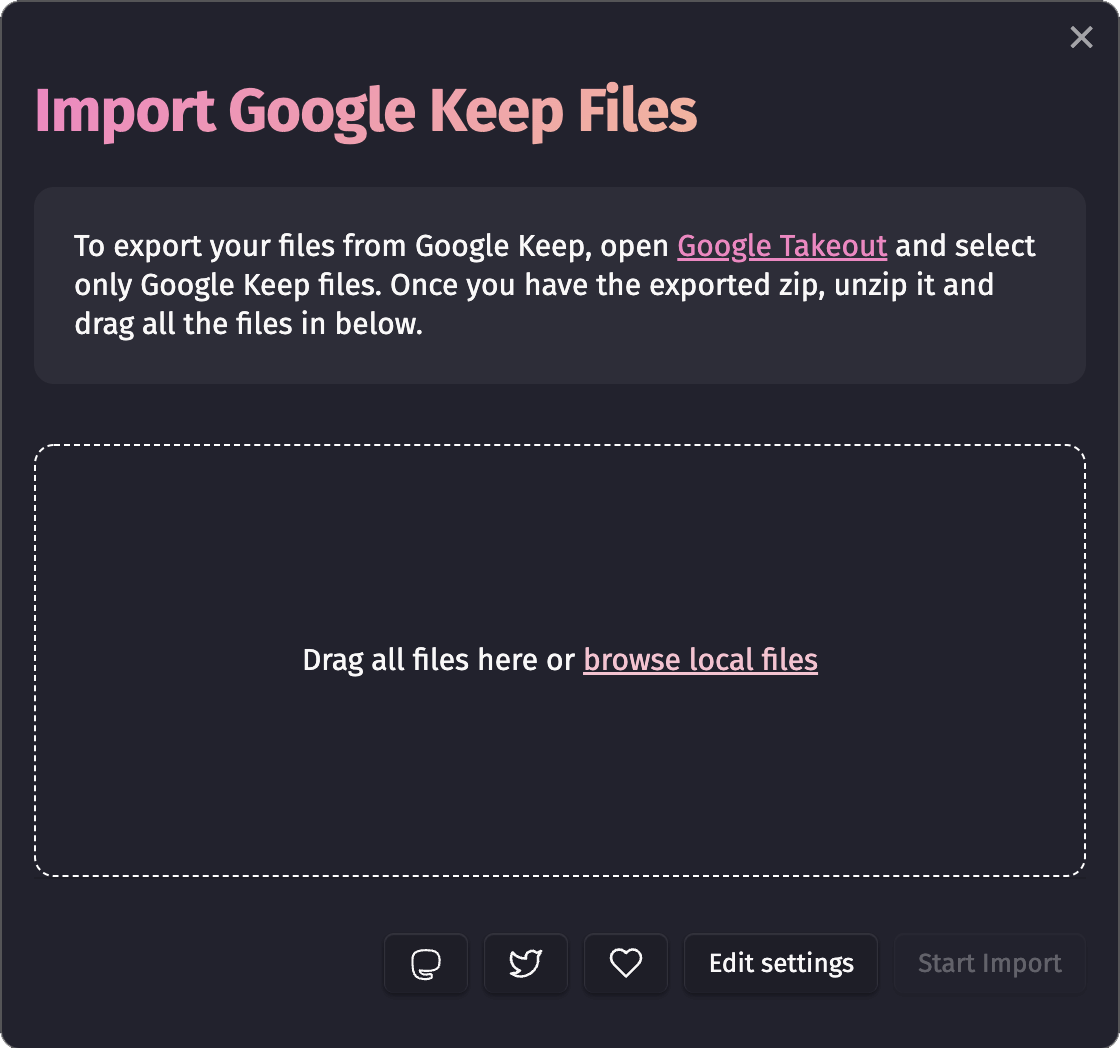
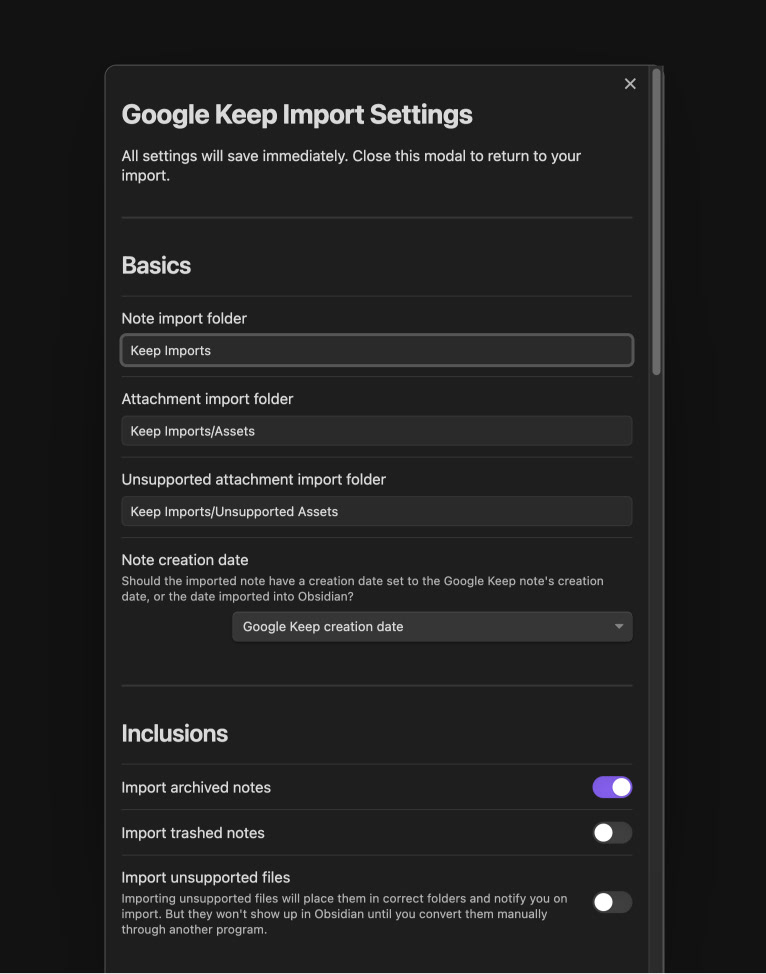
I also created an in-depth settings screen that allowed users to customise how files were interpreted. While too many settings can often be overwhelming, I chose to be quite comprehensive here because for users with over 4000 files to import (like myself), fixing discrepancies after the import would be unrealistic.
Official Version
Some time after my plugin’s release, Obsidian began an internal project to build a universal importer. To speed their development and engage the community, they offered bounties, that community members could apply for, to develop the import modules for various formats. I applied for the bounty to develop the official Google Keep format importer and was awarded it.
In their official importer plugin, an importer controller and modal window were abstract for use by all formats, so my contribution largely involved writing the logic behind my specific format.
The Obsidian team also internally built out the progress window during this time with styling influenced by my original approach. The GitHub issue can be seen here.
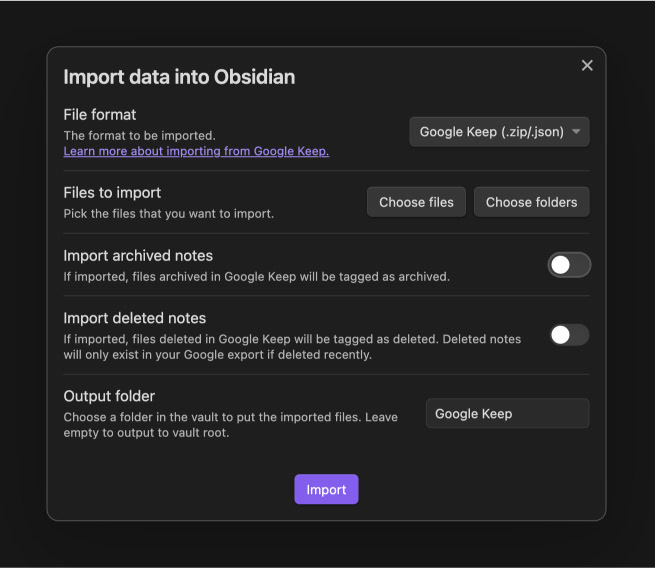
In the images below, you can see the new import dialog with the minimal options added by me, and the new progress log.
My original project can be seen here on GitHub.